The character pages on this site have always been my own runs. Now you can get the same thing for yours: Breakdown is open for everyone.
You install the BylundTracker addon, play as usual, and upload the file it writes. Breakdown turns it into every session, level, kill, quest and death of your character, and lets you put your run next to someone else's.
Breakdown is in beta. It works, but expect rough edges, the odd bug and changes along the way. If something looks wrong, tell me on Discord and include what you uploaded and what you expected to see.
Breakdown is free to use. No subscription, no premium tier, no ads. Sign in with Discord and upload.
What you get
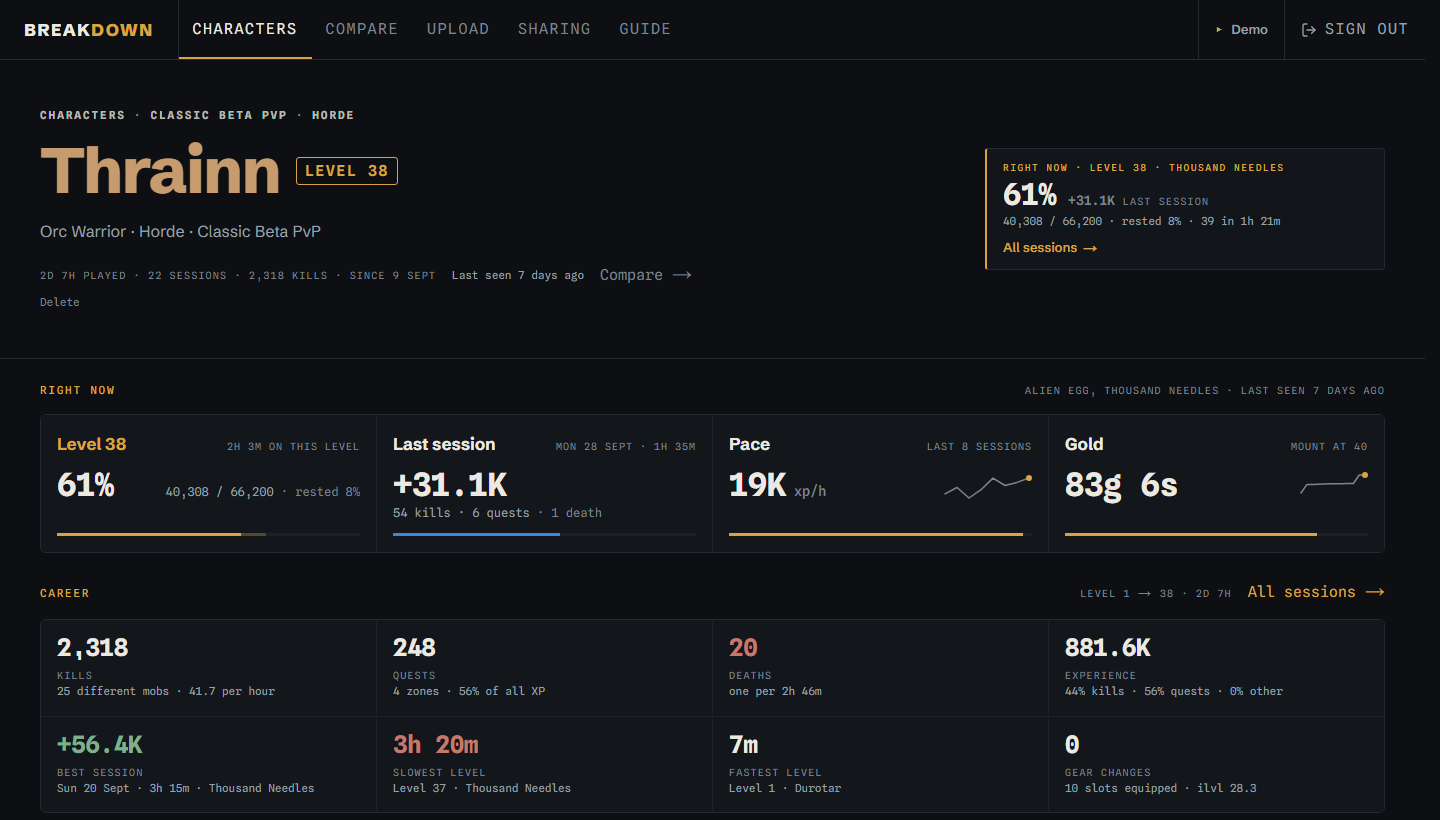
- Your whole run in one place. Level, pace in XP per hour, gold, played time, the experience curve, time per level, most killed mobs, a kill map, deaths and gear.
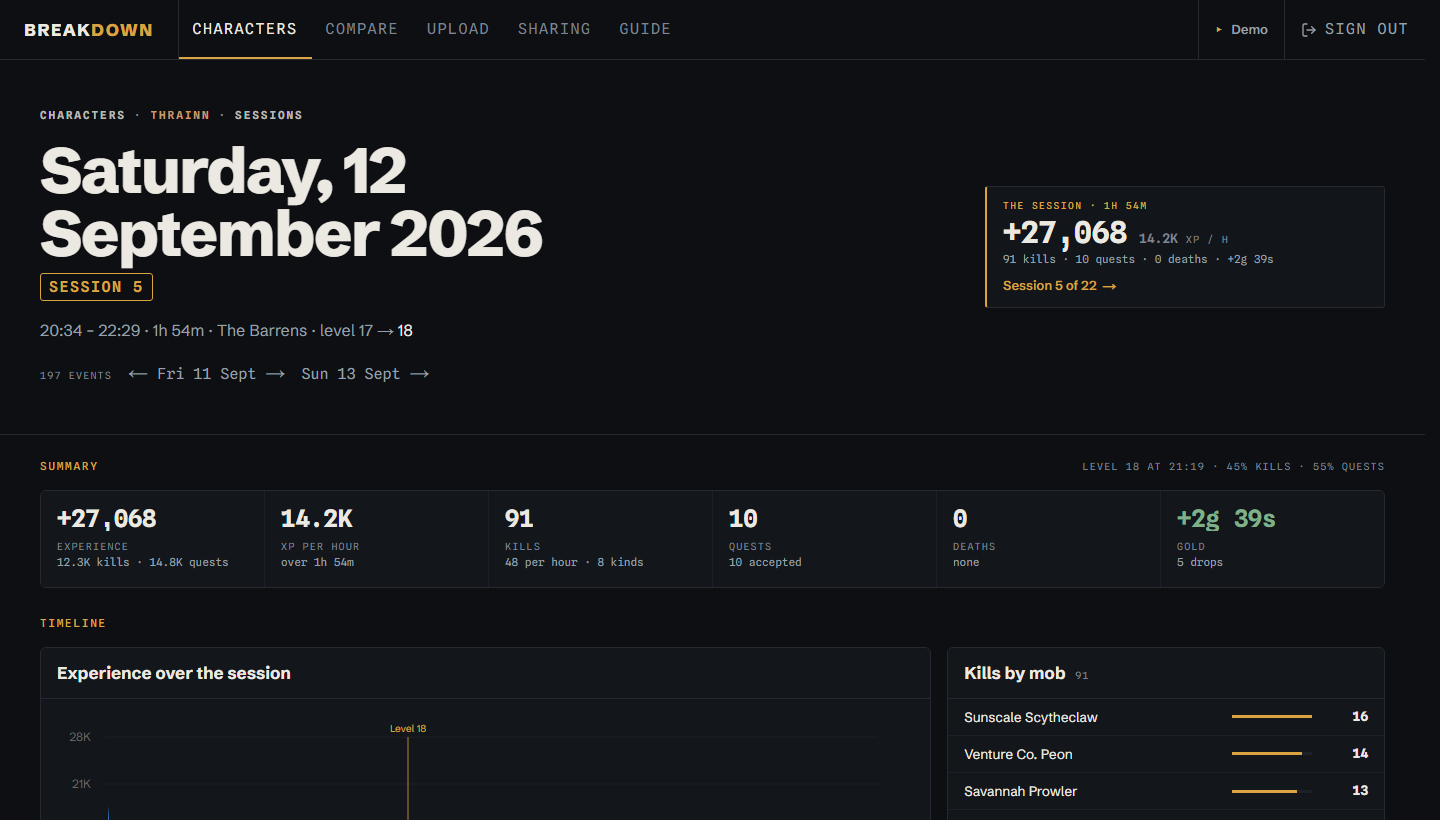
- Every session on its own. Minute by minute: the XP curve with dings and deaths marked, kills by mob, quests turned in, loot and a map of where you fought.
- Find the slow levels. The slowest and fastest levels are called out, so the level where you lost an hour is easy to spot.
- Compare runs. Put two to four characters side by side, yours or a friend's, for the whole run or any level range.
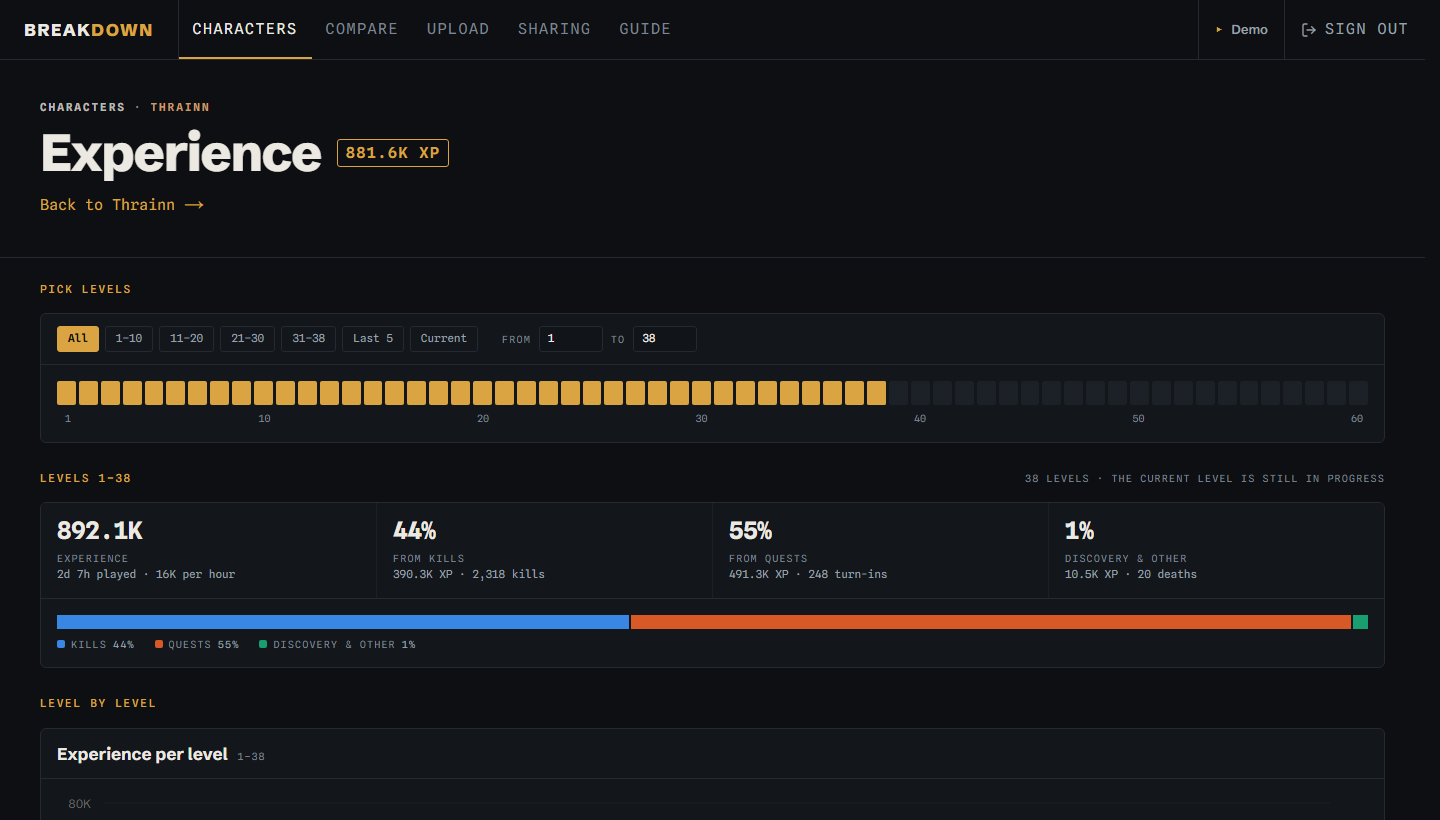
- See where the XP came from. Kills, quests and discoveries, level by level, for any range you pick.
- Private by default. Nothing is public. You decide who sees your characters by inviting their Discord user id, and removing the invite removes the access.
- One upload covers every character on the account, and uploading again only adds what is new.
Sessions
Compare
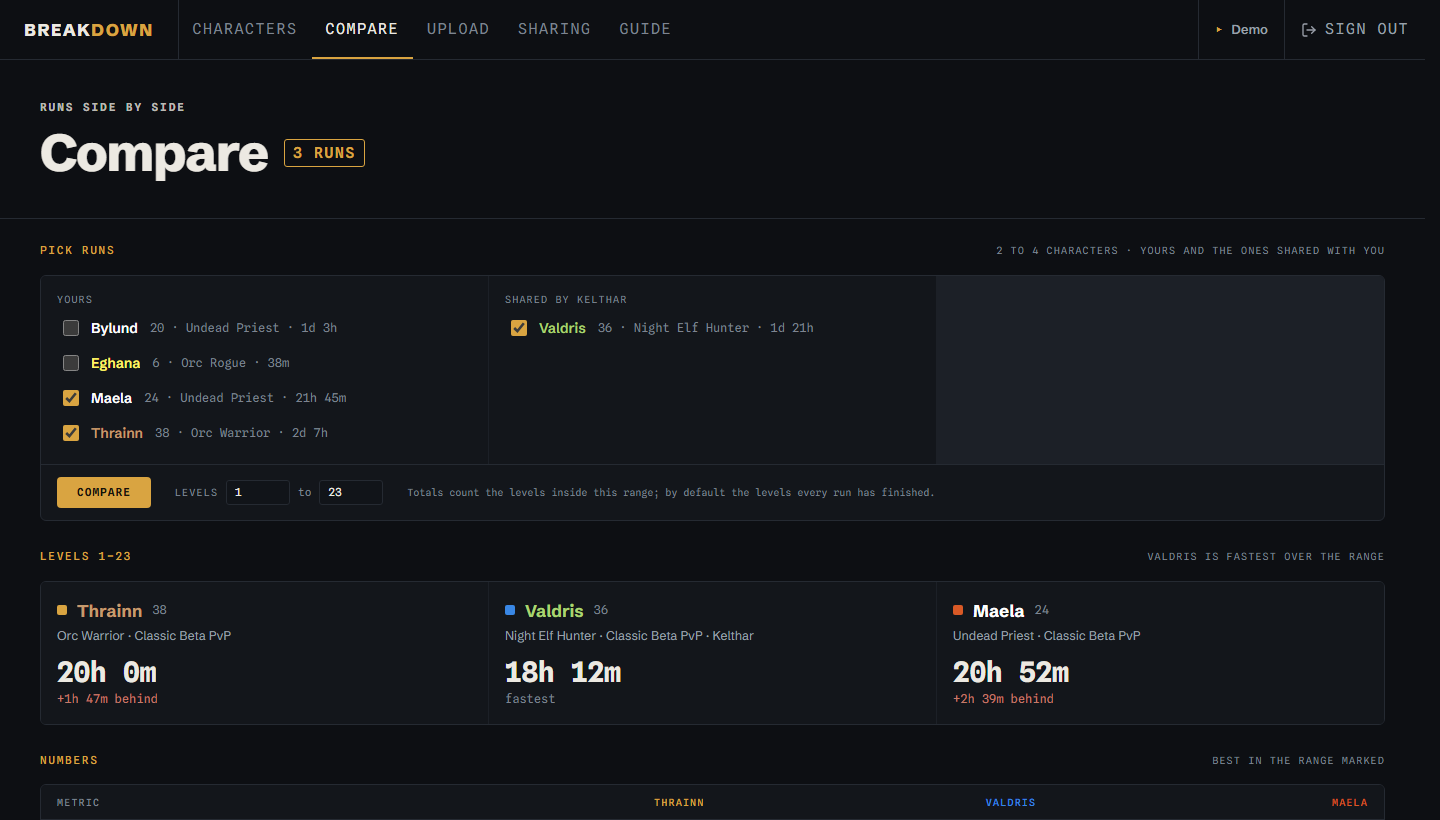
This is the part I use the most. Pick the runs, pick a level range, and you get hours played to each level, time per level, XP per hour, kills, quests, deaths and XP sources next to each other. The fastest run over the range is marked, and everyone else shows how far behind they are.
Experience by source
How to get started
- Download the BylundTracker addon from breakdown.bylundgg.com and unzip it into
Interface\AddOns. - Play, then log out or type
/reload. WoW only writes the addon's file at those moments;/bt syncdoes it for you mid-session. - Sign in with Discord on Breakdown and upload
WTF\Account\<ACCOUNT>\SavedVariables\BylundTracker.lua.
The addon works on Classic Era, Anniversary and the 1.60 beta client. It has no network access and uploads nothing by itself; you choose when to upload the file. The full walkthrough, with where to find the file and how sharing works, is in the guide.